Dashboard Overview
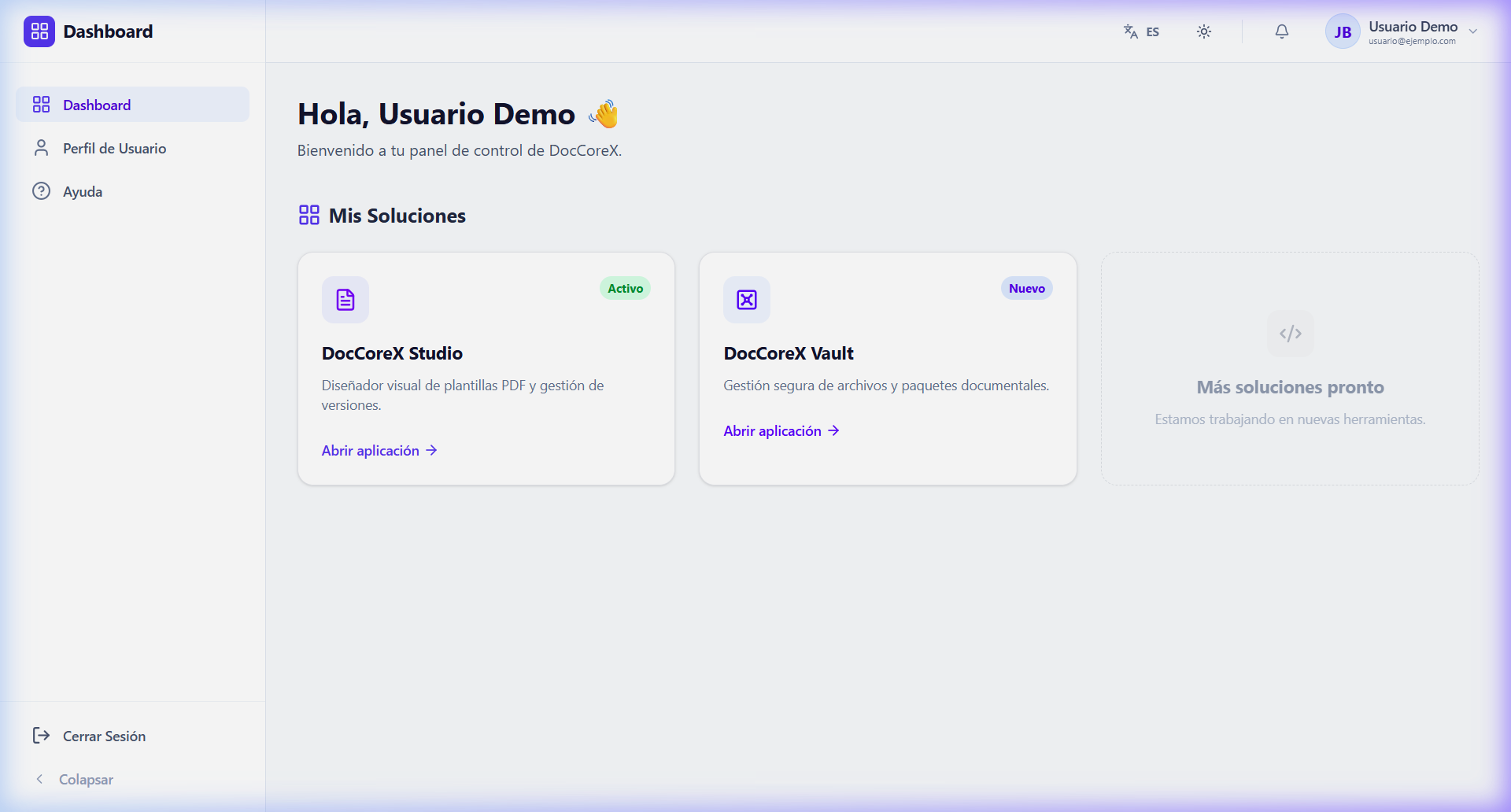
The Dashboard is the control center of DocCoreX, where all acquired modules are centralized, and access to the different tools of the platform is managed.
🏢 Centralized Modules
From the Dashboard, you can quickly access your active solutions:
- DocCoreX Studio: Visual template designer.
- DocCoreX Vault: Secure management of document packages.
🛠️ Interface Layout
The platform uses a consistent structure across all its modules to facilitate navigation:
- Sidebar (Barra Lateral): Contains the main navigation menu for the current module and global options such as “Sign Out”.
- Topbar (Barra Superior): Includes the global search, notifications, and quick configuration selectors.
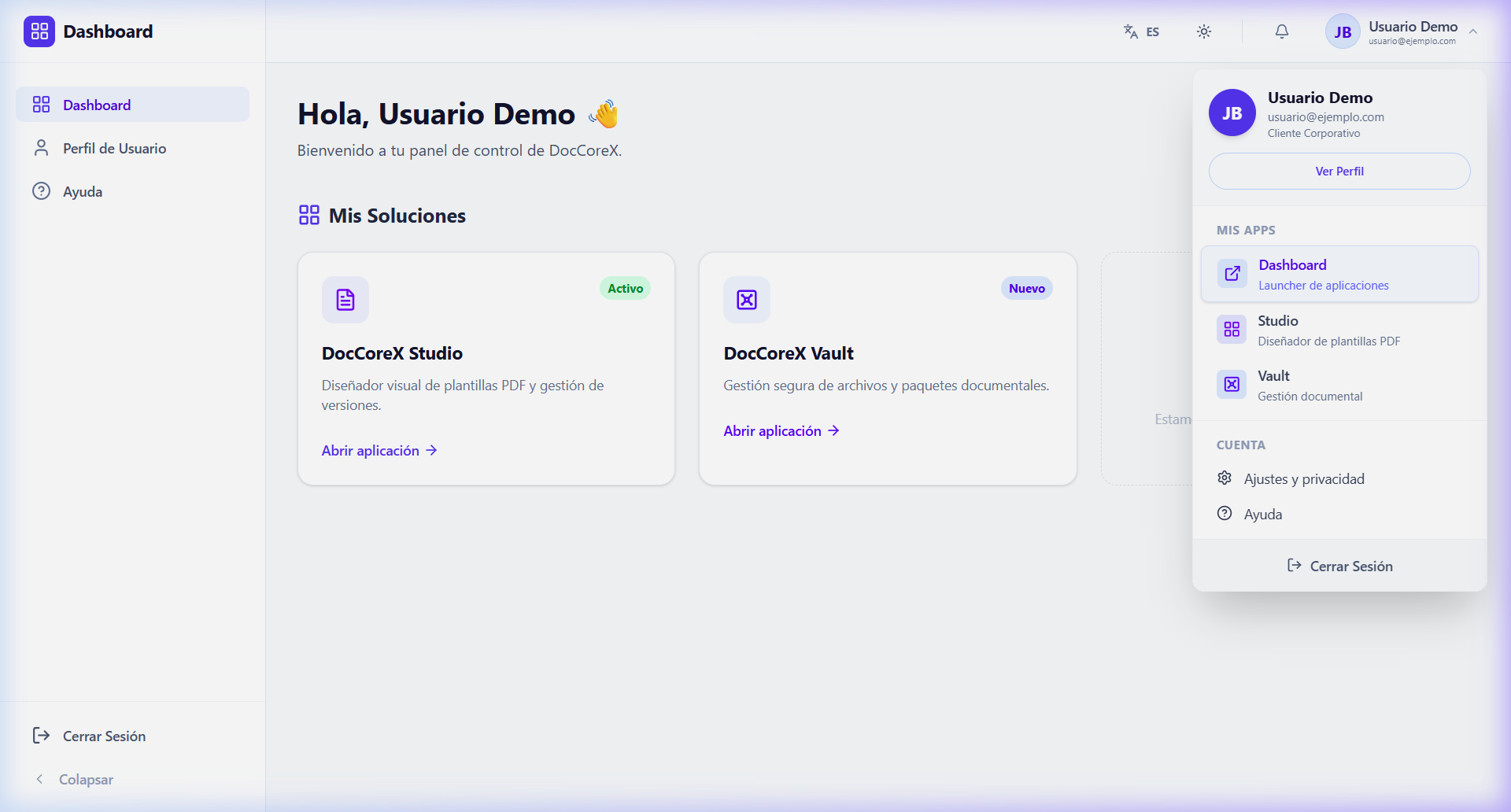
- User Menu (Menú de Usuario): Located in the upper right corner, it allows you to access your profile, change settings, and sign out.
⚙️ Personalized Configuration
DocCoreX allows you to adapt the interface to your preferences from the top bar or the user menu:
- Language Change: Bilingual selector (Spanish/English) for the entire interface.
- Color Mode: Toggle between Light Mode and Dark Mode to reduce eye strain.
[!NOTE] The arrangement of elements is identical in all modules, which reduces the learning curve when moving from the Dashboard to another module.