
Export & Import
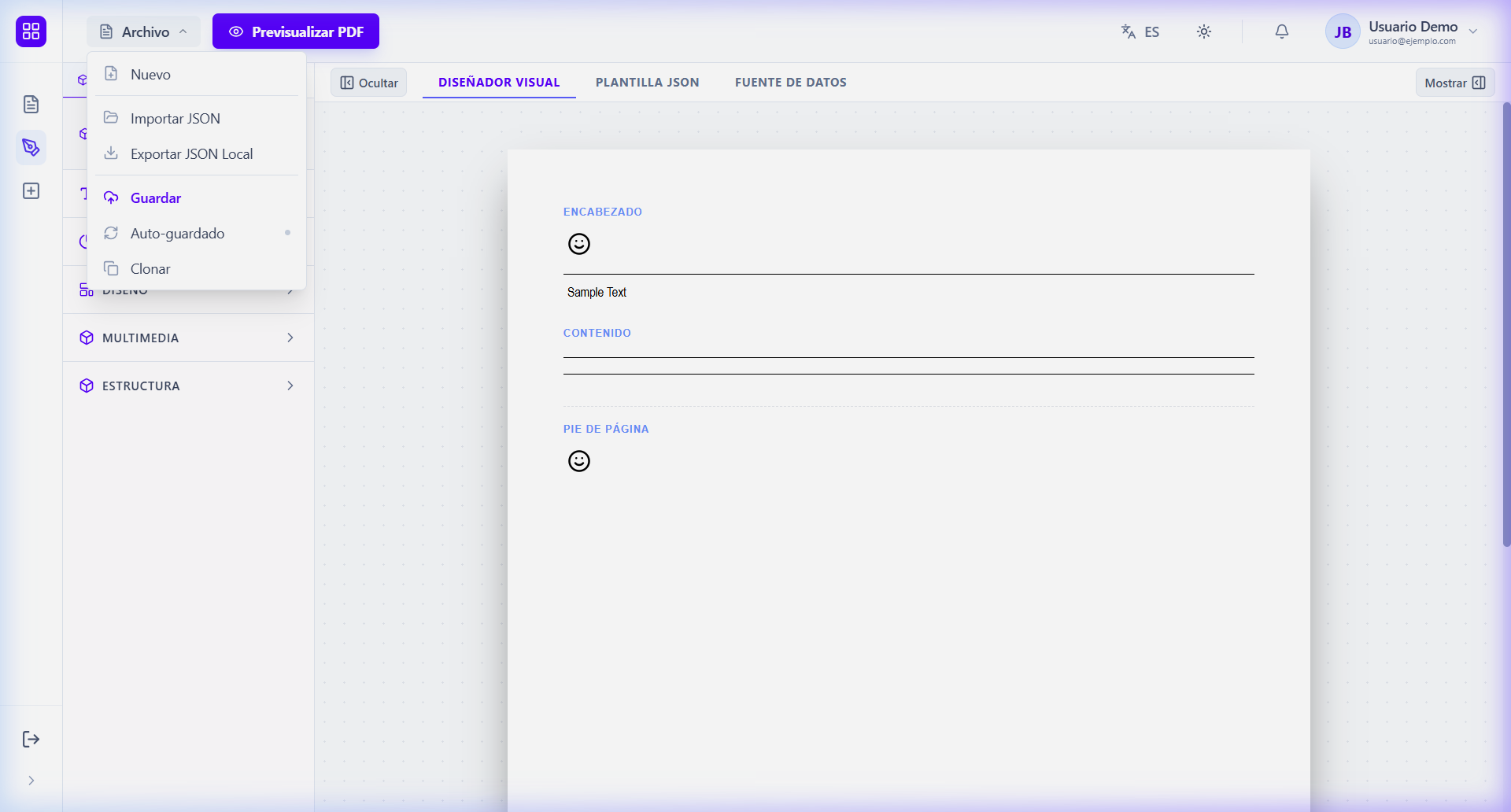
DocCoreX facilitates template sharing between different environments or users using standard JSON files. Both options are located in the File menu of the Studio.
📤 Exporting a Template
If you want to download your current design for backup or sharing:
- Open the File menu in the Studio top bar.
- Select Export JSON.
- A
.jsonfile will be downloaded with your template name and current version. - This file contains both the visual design and template metadata.
📥 Importing a Template
To load a previously shared design:
- Open the File menu in the Studio.
- Select Import JSON.
- Select the
.jsonfile from your computer. - Validation: The system will automatically verify that the file complies with the Schema DSL v1.2.0.
- Done! Your design will appear on the canvas immediately.
[!WARNING] When importing a template, the current design on the canvas will be replaced. Ensure you have saved your previous changes if you do not want to lose them.